Duplicate / copy course
General information
Note: Each lecturer has their own course category in Moodle within their faculty under „Teaching events“. If you do not have your own course category, please contact the Moodle support.
New: From the end of the summer semester 2025 onwards, you will have so-called „manager rights“ in your own course area and can therefore manage your courses for the coming semesters yourself, including independently copying an old course.
Procedure for course duplication / copying
1. Open the course you want to copy.
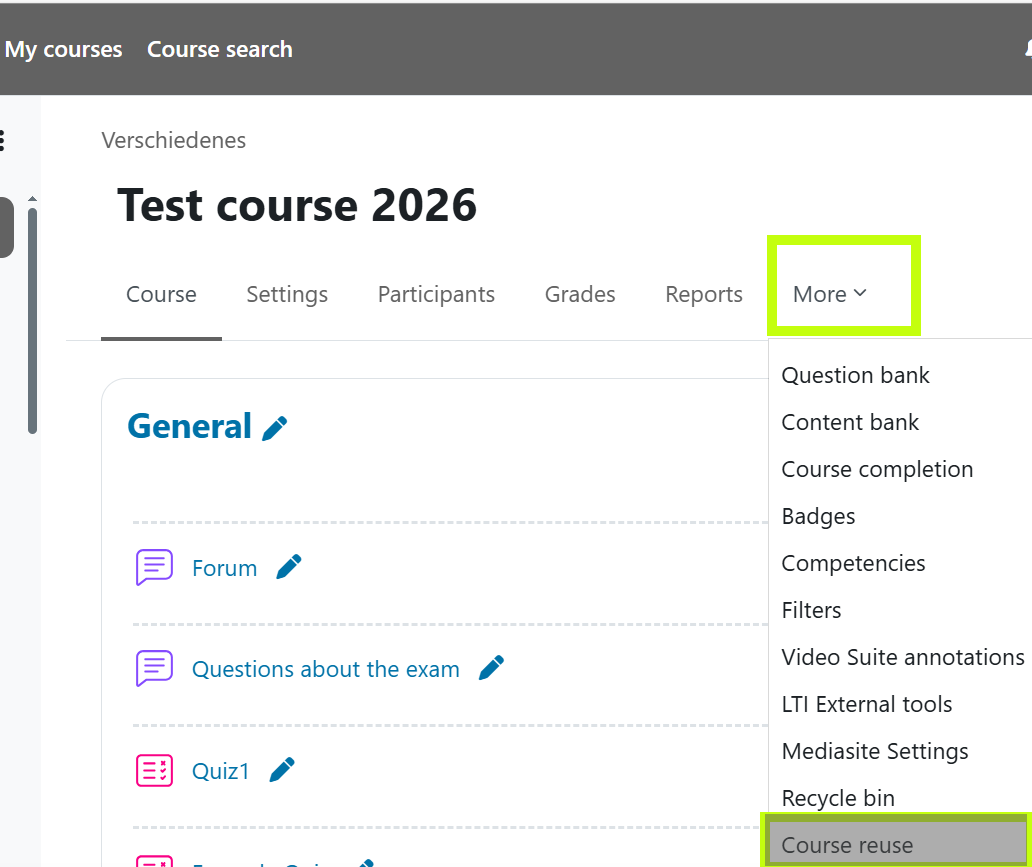
2. In the course, click on the More tab in the top menu and select Course reuse from the dropdown menu.
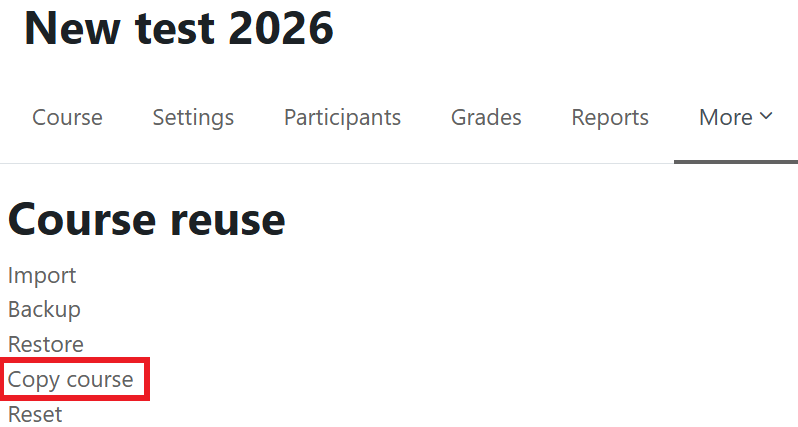
3. On the page that opens, select the option Copy course.
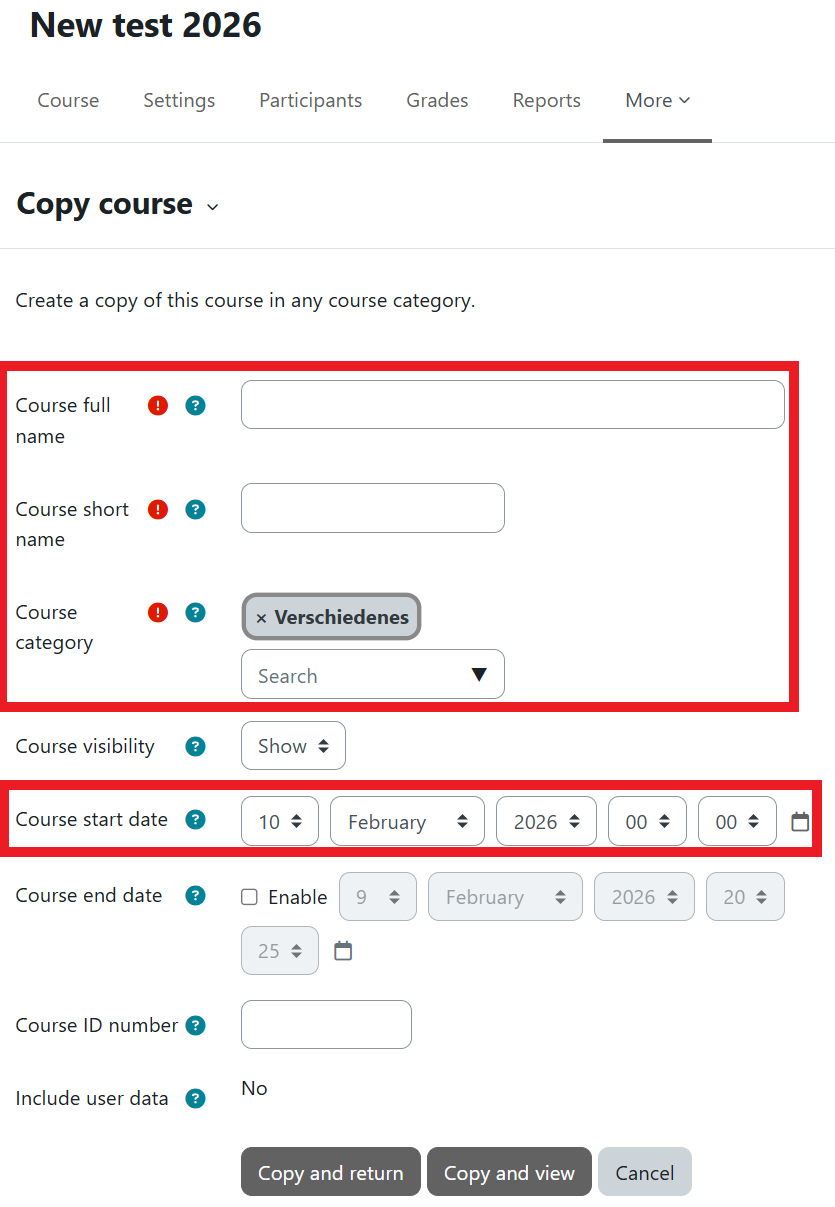
4. As before when applying for courses, enter the full course name and the short course name. Then search for your last name in the search field under Course category and select the appropriate semester.
5. Under Course start date, enter the start date of the new semester.
6. Finally, click on Copy and view.
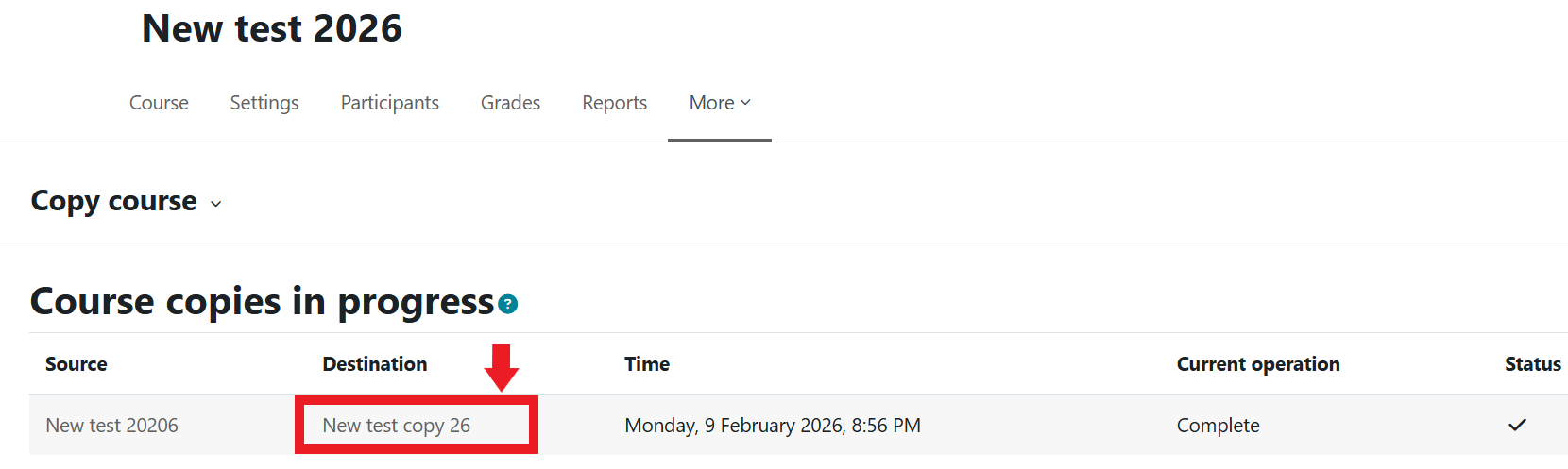
8. On the following page, you will see the status of the course copying.
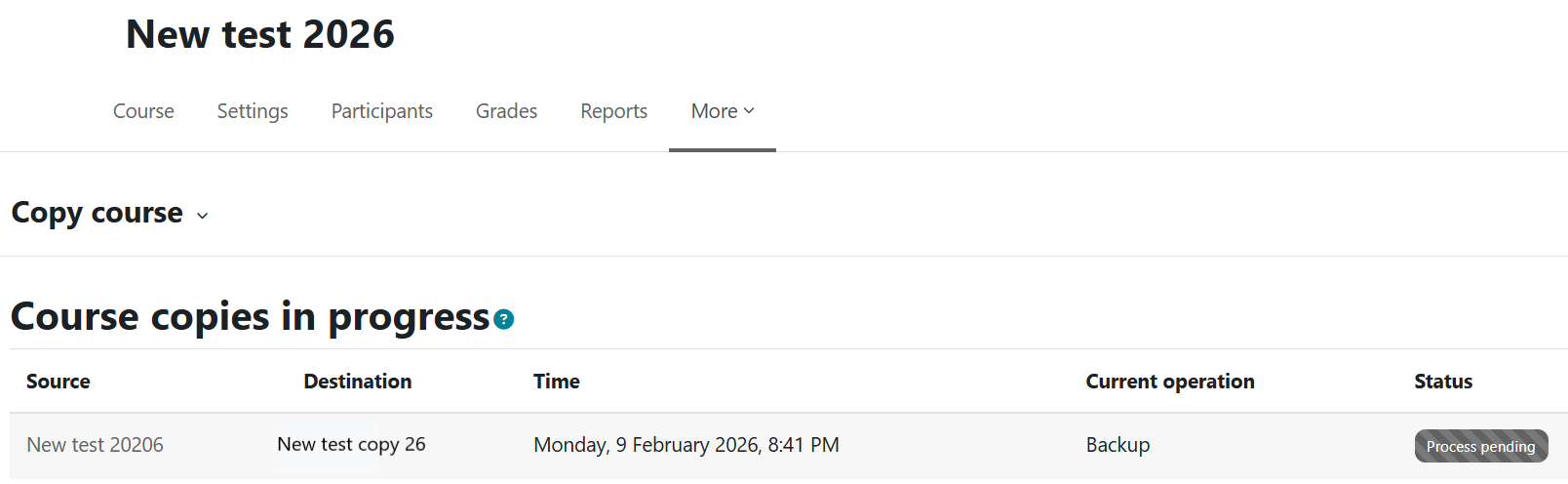
9. As soon as the copying is complete, a checkmark will appear and you can open the copied new destination course via the link under Destination.